Browse and edit your Knowledge Base
Find, read, and edit the documents that hold everything Launch OS knows about your agency and clients.
The Knowledge Base is where every document lives — your foundation documents (company profile, ideal-customer profiles, voice profiles), and the deliverables and notes produced from your meetings. It's also what Launch OS reads when it writes new drafts, so keeping it good keeps your output good.
Find a document
Open Knowledge Base from the sidebar. Documents are grouped into folders, with your ★ Foundation documents at the top. Click a folder to expand it, click a document to open it, and use search to jump straight to one.
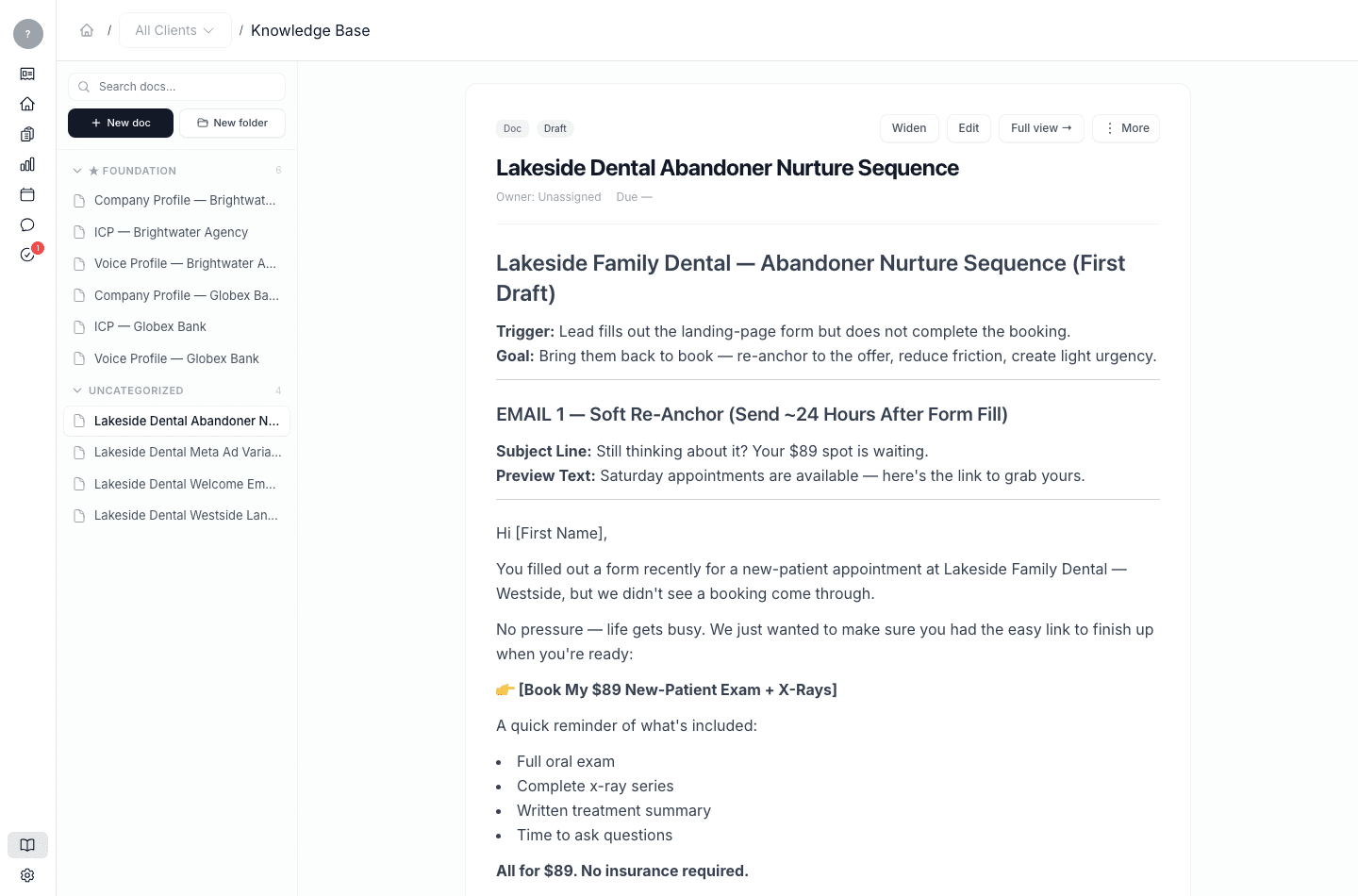
Edit a document
Open a document and switch it to edit mode to change the text, then save. Your edits become the new source of truth — because Launch OS reads the Knowledge Base when it generates work, an edit here shapes future drafts.
Create a document or folder
Use New doc or New folder to add to the Knowledge Base — for example, a second ideal-customer profile for a different audience.
Why this matters
Because the Knowledge Base is the system's memory, editing it is the most powerful way to steer your output. To understand that fully, read Your Knowledge Base is the home of everything.