Review, approve, or request changes
Act on the work waiting for your decision in the Review Center.
The Review Center is the one place for everything that needs your decision — both draft deliverables and strategic questions.
Find what needs you
Open Reviews in the sidebar. You can switch between My Reviews and All Reviews, filter by Assets (deliverables) vs Decisions, and narrow by urgency.
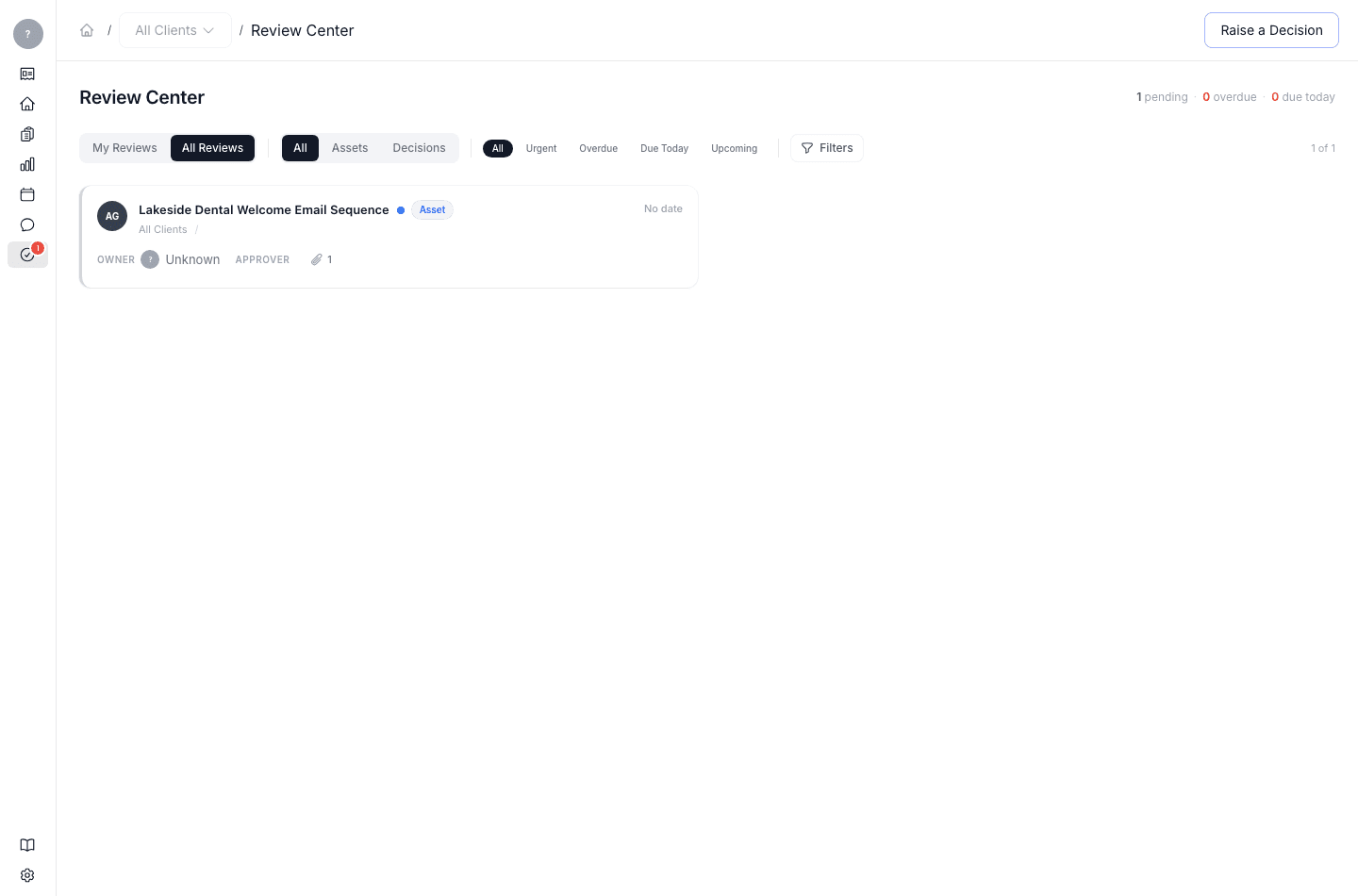
Each card shows the title, type, client, campaign, the owner and approver, the due date, and status.
Act on an item
Open an item and choose one of:
- Approve — sign it off.
- Request changes — send it back with a comment on what to change.
- Reject — decline it.
You can also route an item on to the next reviewer rather than finishing it yourself.
Raise a decision
If you need the team to decide something (not just approve a draft), click Raise a Decision to put a question into the Review Center for the right person.
What's next
Once a deliverable is approved, add it to a campaign.