Open a to-do and the draft written for it
Go from an action item in the digest to the first draft Launch OS wrote for it.
Every to-do from a meeting has a first draft already written for it. This is how you get to that draft and see where it came from.
Steps
Find the to-do
Open a meeting's digest and look at the To-Dos list.
Follow the link to its draft
Click the "→" link next to the to-do. It opens the deliverable — the first draft written for that action item.
What you'll see
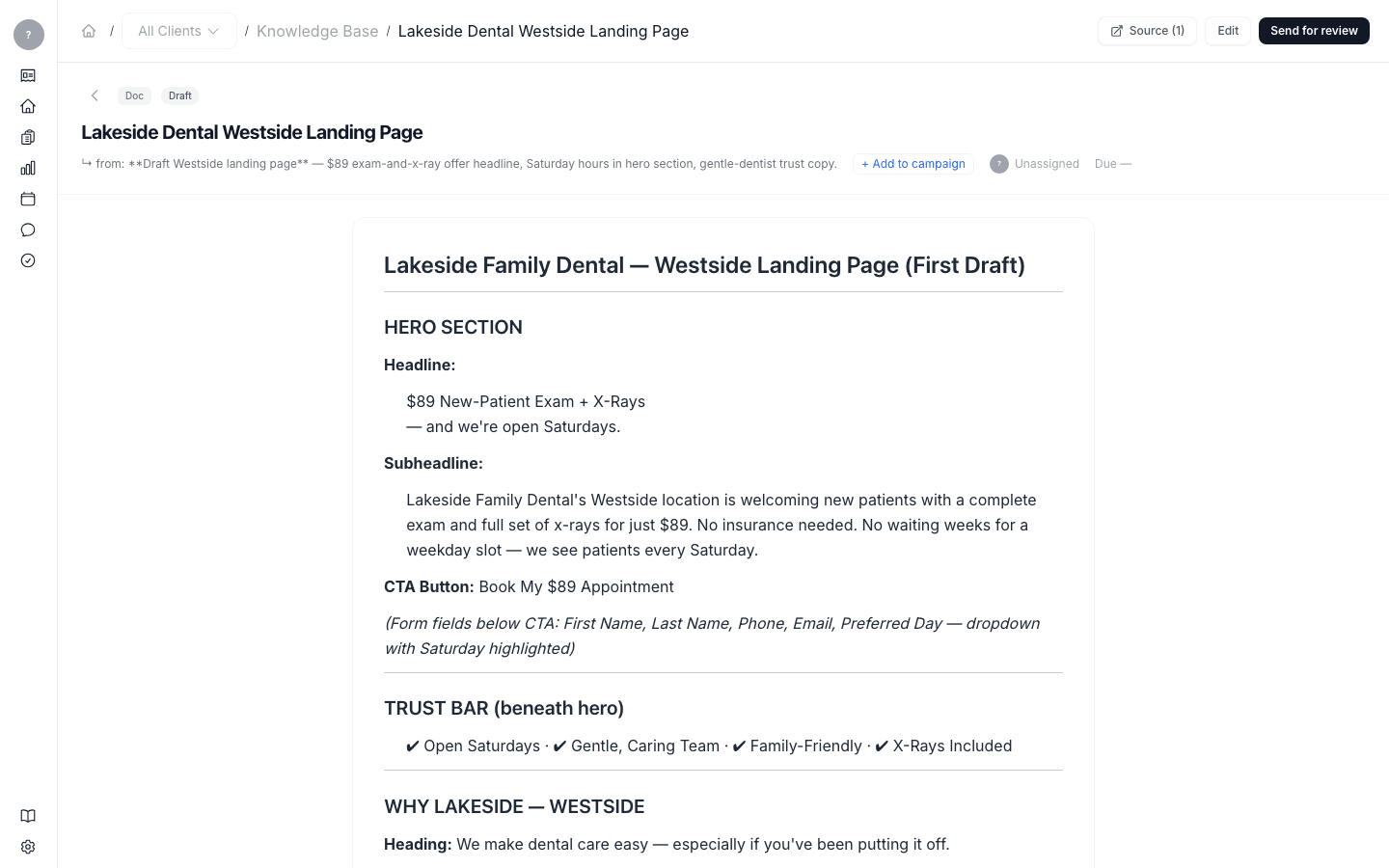
The draft opens with its source shown — the line "↳ from:" names the action item it came from, and the draft links back to the meeting and the exact moment in the conversation that prompted it. It's marked as a draft awaiting review.
From here you have everything you need on one screen: the draft itself, where it came from, and the actions to Edit, Send for review, and Add to campaign.
What's next
Make it yours — edit the deliverable — then send it for review.