Put your site on your own domain
Show your site's pages at your own web address, like pages.yourbusiness.com.
Every site starts on a free Launch OS web address. To use your own domain (a web address you own, like pages.yourbusiness.com), you do two things: connect the domain to your account once, then choose it for the site.
Connect the domain to your account (once)
Follow Connect your own domain. In short:
- Click the gear icon at the bottom of the left menu, then the Domains tab.
- Add your domain.
- Copy the settings Launch OS shows you into your account at the company where you bought the domain (for example GoDaddy or Namecheap). These settings point the domain at Launch OS.
- Come back and check. Once the domain is connected, turn on the security certificate (SSL). That gives your site the padlock in the browser.
Choose the domain for your site
- Open Launch Sites and click the site.
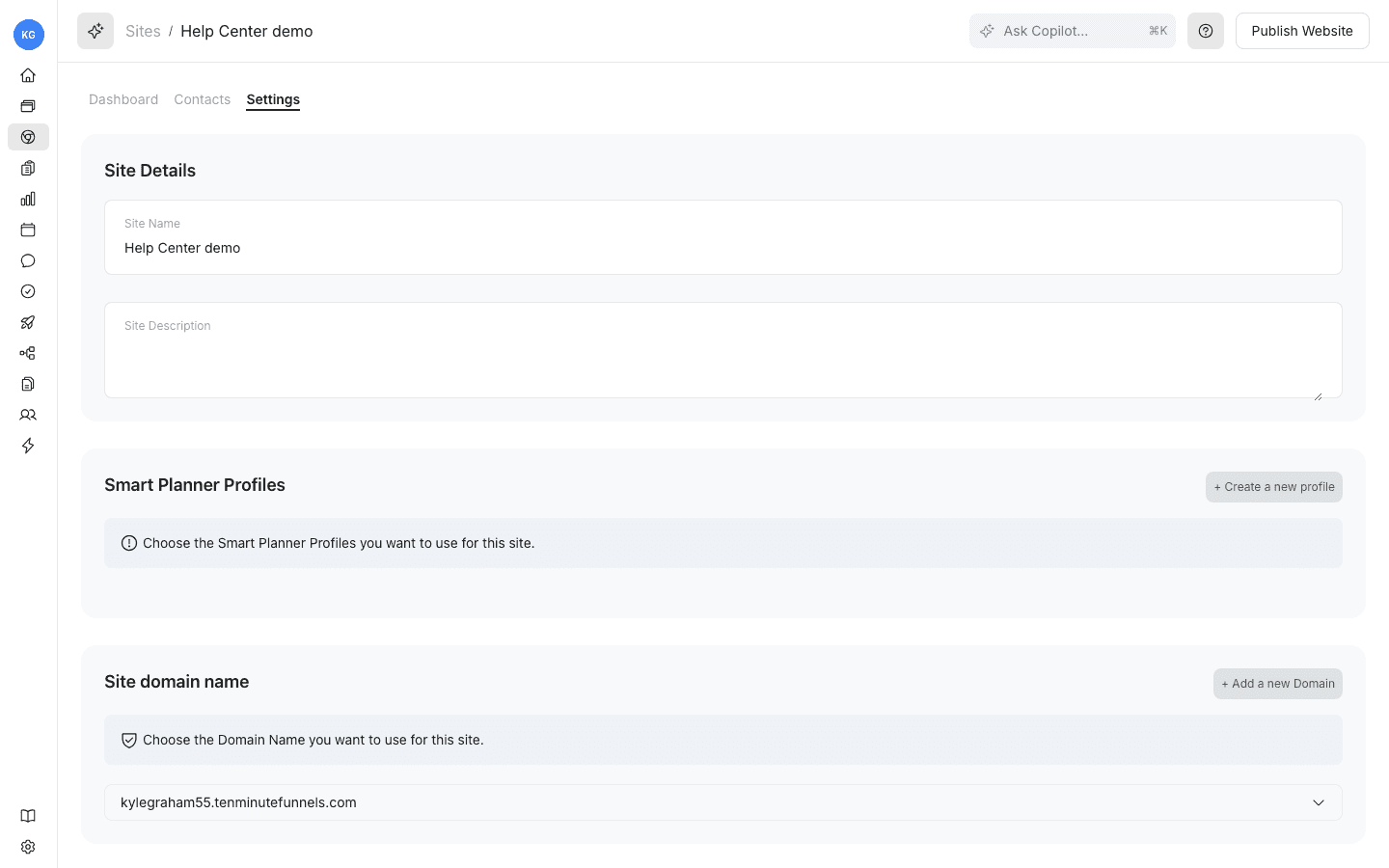
- Click the Settings tab.
- Under Site domain name, open the list and choose your domain. Launch OS saves your choice right away.
- Click Publish Website at the top right.
Your pages now show at your domain, followed by each page's address. For example, pages.yourbusiness.com/about. The site's Dashboard shows the new addresses.
Haven't added the domain yet? Click + Add a new Domain on the same tab.
Good to know
- Your domain's front page isn't available yet. Pages show at an address after the domain, like
yourbusiness.com/about. The domain on its own,yourbusiness.com/, can't show a site page yet. - All your sites share one set of addresses. Every domain connected to your account shows the pages from all your sites. So a page in one site also opens on the domain you chose for another site. And two pages can't use the same address, even in different sites.
- Domain changes take time. After you change the settings at your domain company, it can take from a few minutes to a few hours before the domain works everywhere.
Need help?
Stuck on the settings at your domain company? Email support@launchos.com and tell us where you bought the domain.