Use Launch OS from Claude
Connect Claude to your Launch OS account, so you can ask Claude to do your Launch OS work for you.
Claude is an AI assistant made by Anthropic. Once you connect it, Claude can work in Launch OS as you. You ask in plain words, like "add these three pages to my spring sale site" or "connect my domain," and Claude does it.
Every account can ask Claude to work with its pages, sites, contacts and funnels. Anything more, like meetings and to-dos, depends on the apps on your plan. Claude works in your own account, and in the client accounts linked to your agency.
Claude always asks before it publishes anything, deletes anything, or replies to anyone.
Find your connection details
Open Launch Sites from the left menu and click Connect Claude at the top right. The page shows the address and steps you need. The same page is also the Connect Claude tab in Settings.
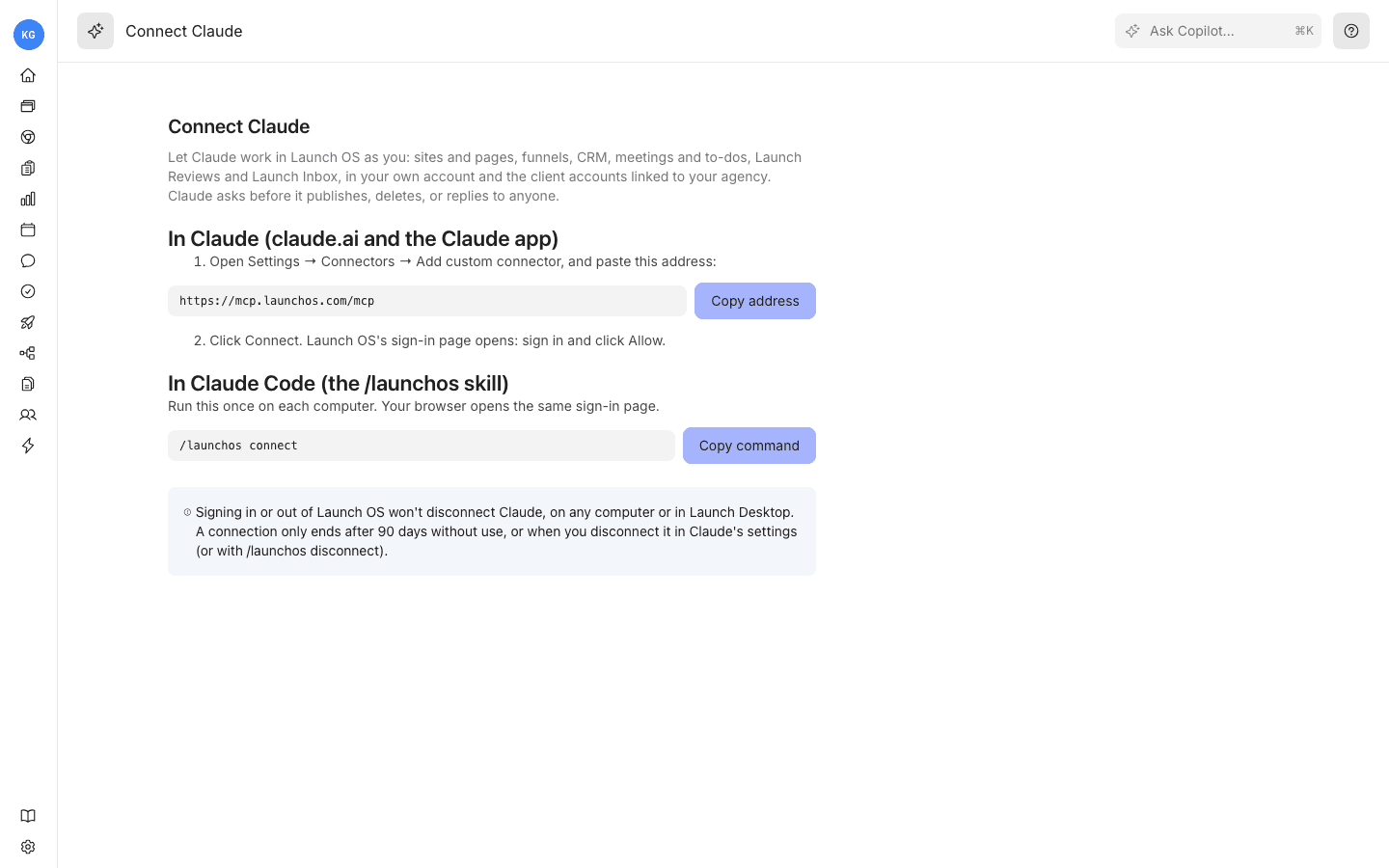
Connect Claude on claude.ai or the Claude app
- On the Connect Claude page, click Copy address.
- In Claude, open Settings, then Connectors, then Add custom connector.
- Paste the address and click Connect.
- The Launch OS sign-in page opens. Sign in and click Allow.
Connect Claude Code
If you use Claude Code, the version of Claude for your computer's terminal:
- On the Connect Claude page, click Copy command.
- Run the command in Claude Code. Do this once on each computer.
- Your browser opens the same Launch OS sign-in page. Sign in and click Allow.
What to ask Claude
A few examples:
- "Put this page on my spring sale site as a draft."
- "Connect offer.yourbusiness.com and tell me what to change at GoDaddy."
- "Is my domain live yet?"
- "Add Jane Smith to my contacts."
For a domain, Claude adds it to your account, walks you through the change to make at your domain company, and checks the status until it's live. See Connect your domain for what each status means.
How long the connection lasts
Signing in or out of Launch OS doesn't disconnect Claude. The connection ends only when:
- 90 days pass without you using it, or
- you disconnect it in Claude's settings (in Claude Code, run
/launchos disconnect).
Need help?
Email support@launchos.com.